Billing & Plans
Manage your subscription, change plans, and access your billing portal.
Open Billing from the sidebar to manage your organization’s subscription.
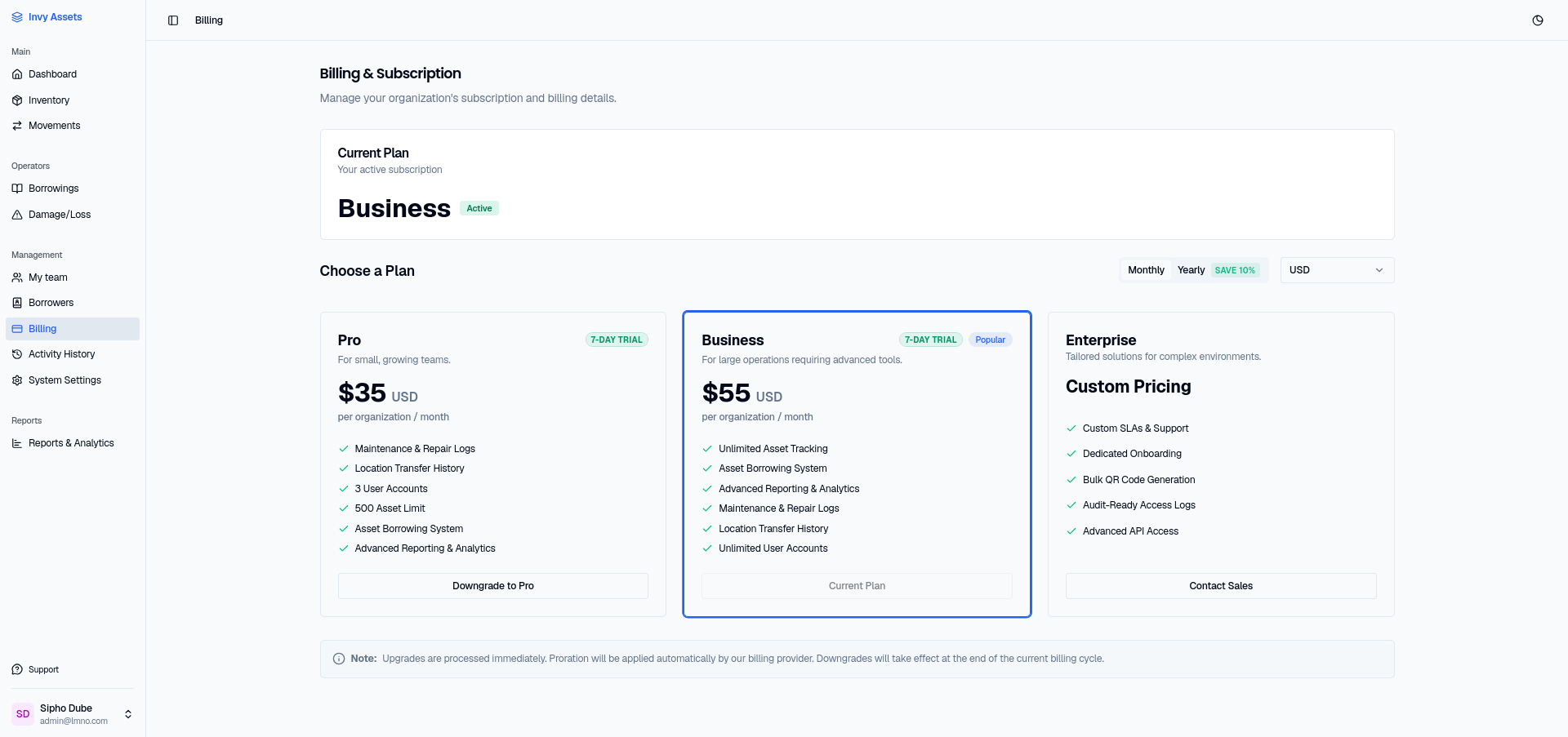
Viewing your plan
The Billing page shows your current plan and its status. If you’re on a free or trial plan, you’ll see the available paid tiers here too.
Upgrading
- Open Billing.
- Choose a plan, billing interval (monthly or yearly), and currency.
- Complete checkout.
Checkout is handled securely outside of Invy; once it completes, you’re redirected back and your plan updates automatically.
Managing an existing subscription
If you already have a paid plan, use Manage Billing to open your customer portal — from there you can update payment details, change plans, view invoices, or cancel.
Next steps
- Review your team’s access — some plans affect how many teammates you can invite.
- Set up backups so your data isn’t tied to any one plan.